
For a trade business of one, or a few
PocketBoss
Books the job, invoices it and takes the payment. For the plumber, electrician or welder who runs the business, with a helper or two if you have them.
Your money
Charge $500, keep $500
When your customer pays by card, the money goes from them straight into your own Stripe account. It never passes through us, so we can never hold it, freeze it or slow it down — and we never take a slice of what you charge. Stripe bills you its own card fee, the same as it would anyway.
Features
What it does
It wins you the job, bills it, and gets the money into your account. Everything else is there so you never type it twice.
Tap to pay, or send a pay link
Take the card at the door, or email a link and let them pay tonight.
- The invoice marks itself paid when the money lands
- Tips, deposits and part payments all work
Customers book you themselves
Share one link. They pick a job and a time inside your hours.
- A missed call stops being a lost job
- On the free plan, not a paid extra
Win the job and the quote becomes the invoice
Nothing is typed twice. The email carries a pay link.
- Paid by card the same day
- Or send a PDF with your logo on it
It asks for the money so you don't have to
Late invoices and quiet quotes get followed up on their own.
- Reminders the day before cut no-shows
- Included — Jobber charges $149 a month for this
Every business mile, written down for you
Miles are a deduction most solo traders lose because nobody records them.
- On Android, Boss logs the drives by itself
- Expenses and receipt photos sit beside them
Every job in order, with the drive between them
Today, the week and the month, plus a route map.
- Repeat jobs, checklists and job photos
- Gate codes and access notes on the client
Bring a helper for nothing extra
Up to 5 logins on Boss at the same flat price.
- No charge per person, ever
- Only you can change the money settings
Year end takes an afternoon
Income, expenses and miles totalled and ready to hand over.
- Copy it or download it for your accountant
- It reports what you entered; it does no tax maths
Pricing
What it costs
One price, whatever size you are.
The whole business:
- Booking page and scheduling
- Unlimited invoices and quotes
- Card payments through your own Stripe account
- PDFs and invoice email
- Clients, expenses, time on the job
- A mileage log you fill in by hand
- One login (the owner)
Everything in Free, plus:
- All automatic customer texts: reminders, on-my-way, missed-call text-back, payment chasers, quote follow-ups (see Texts below)
- Tax center: a year-end summary of your records for your accountant
- Insights: cash-flow forecast, capacity, profit per service, quote win rate
- Quote e-signature: your customer reads it and signs by typing their name
- Recurring invoices for service plans, monthly or quarterly
- Booking deposits: a Stripe link that stamps the deposit on the job
- Up to 5 logins (Free is the owner alone)
- The assistant: tell the app what to do by voice, and ask about your records
- Automatic drives on Android, labelled by your jobs
86% less than Jobber over a year, 75% less than Housecall Pro, 74% less than Joist, each against their cheapest plan that does the same job.
Boss is a monthly subscription — card through Stripe on the web, Google Play on Android. Cancel any time and you keep it to the end of the month you paid for; Free never expires, and The Pocket App Company is the seller.
Compare
Against the other field-service apps
Their prices and terms, taken from their own pricing pages on 25 September 2026. Each comparison also says when the other app is the better buy.
PocketBoss vs Jobber
PocketBoss vs Housecall Pro
PocketBoss vs Joist
Prices are what each company published on 25 September 2026 and can change. Check theirs before you decide. Jobber, Housecall Pro and Joist do more than PocketBoss in places — crews, dispatch, marketing tools — and each comparison page says where.
Approach
How it is different
Five rules the app is built on.
Built for one person, or a few
Five tabs and nothing a dispatcher would need. Works the same whether it is just you or you and a couple of helpers.
No per-user pricing
Free is the whole business for one login. Boss is a flat $14.99 a month for up to 5.
No cut of a job
Payments are direct charges to your own Stripe account. PocketBoss adds no fee and never holds your money.
Records, never tax maths
The year-end summary is your own entries, added up for your accountant. No rate on a mile, no estimate, no advice.
Your data leaves with you
Export a JSON backup or CSV any time. Delete your account and the records, including our backups, are erased within 30 days.
Screens
What it looks like
Five screens from the Android app.
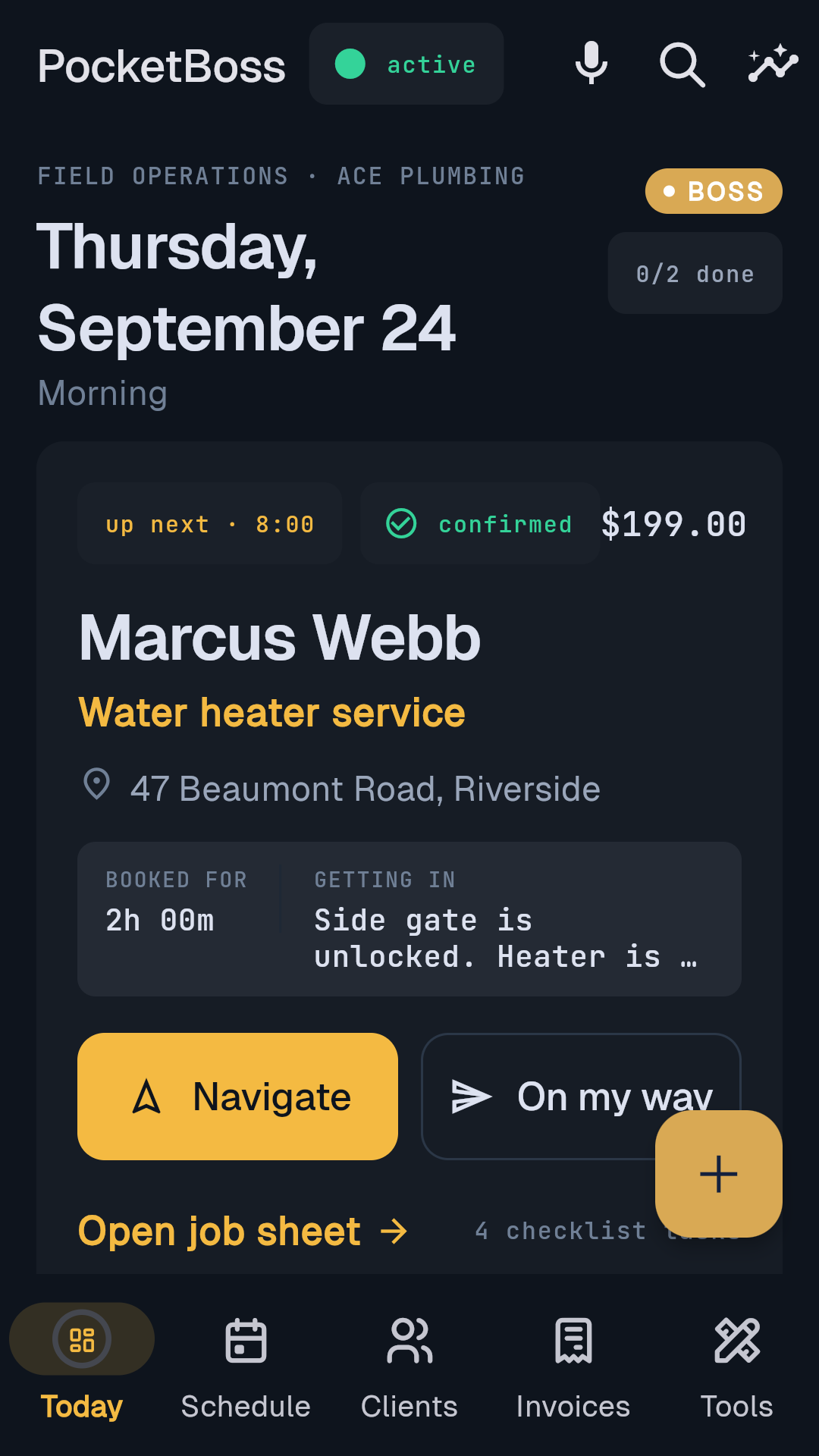
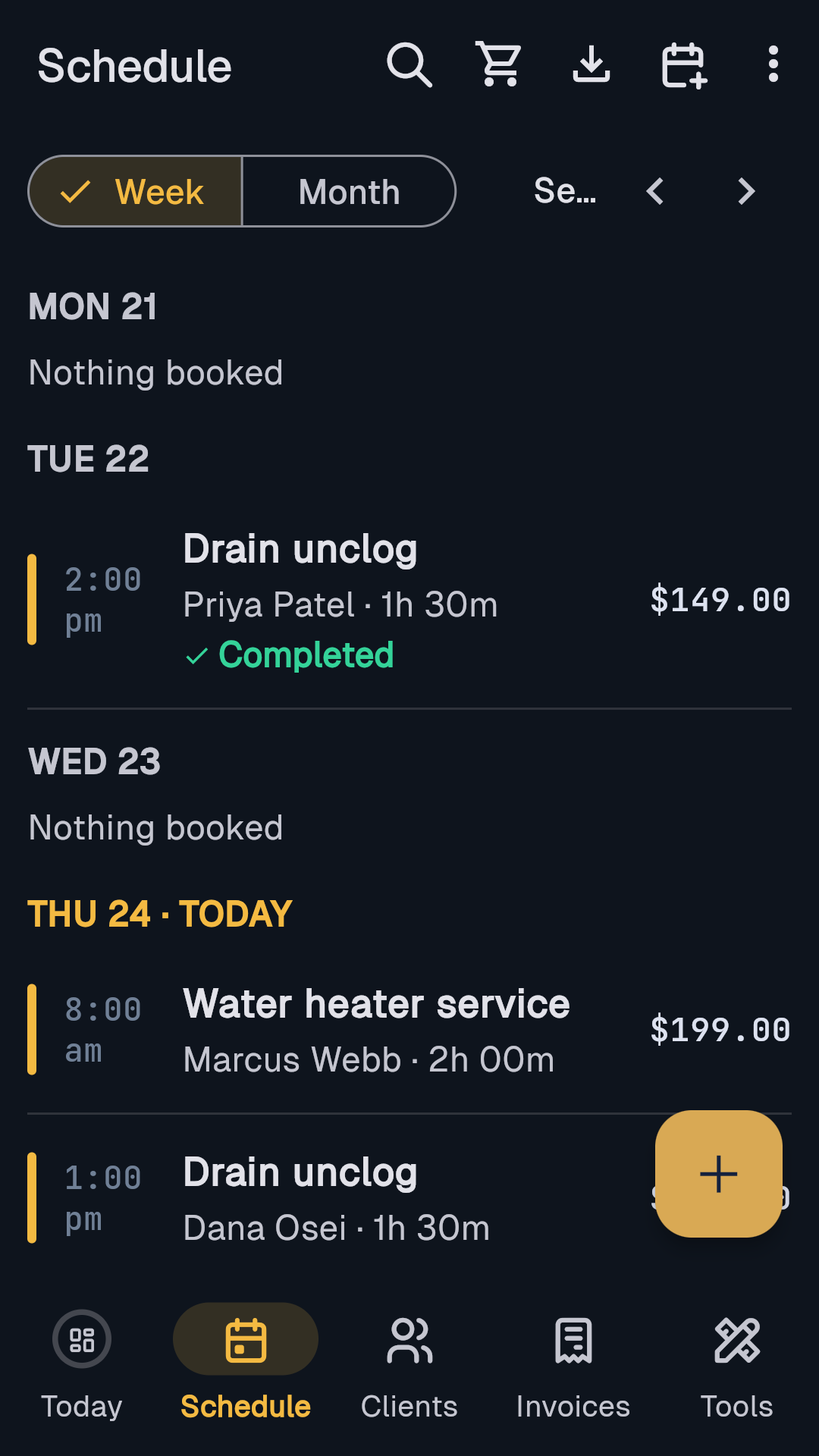
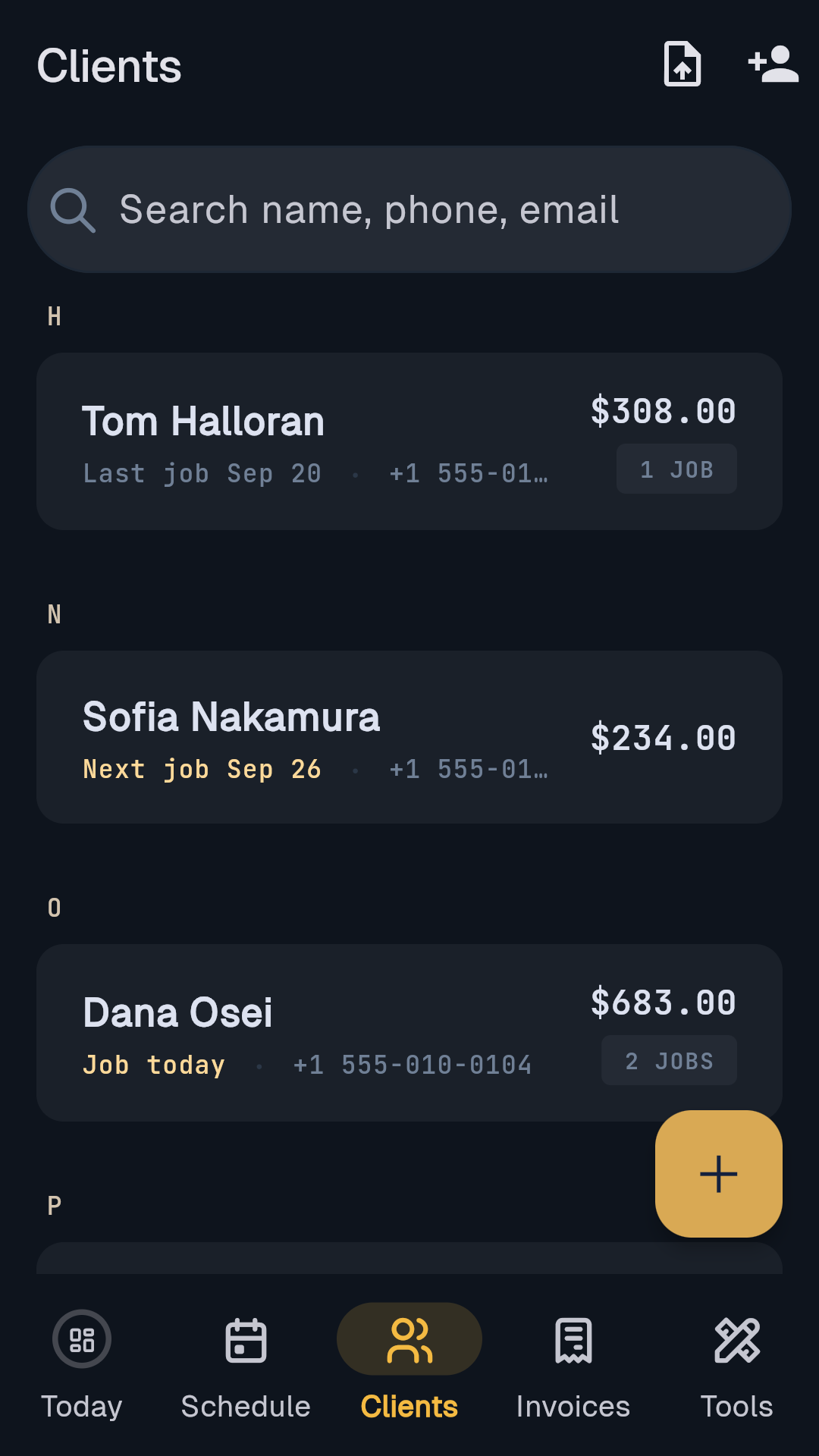
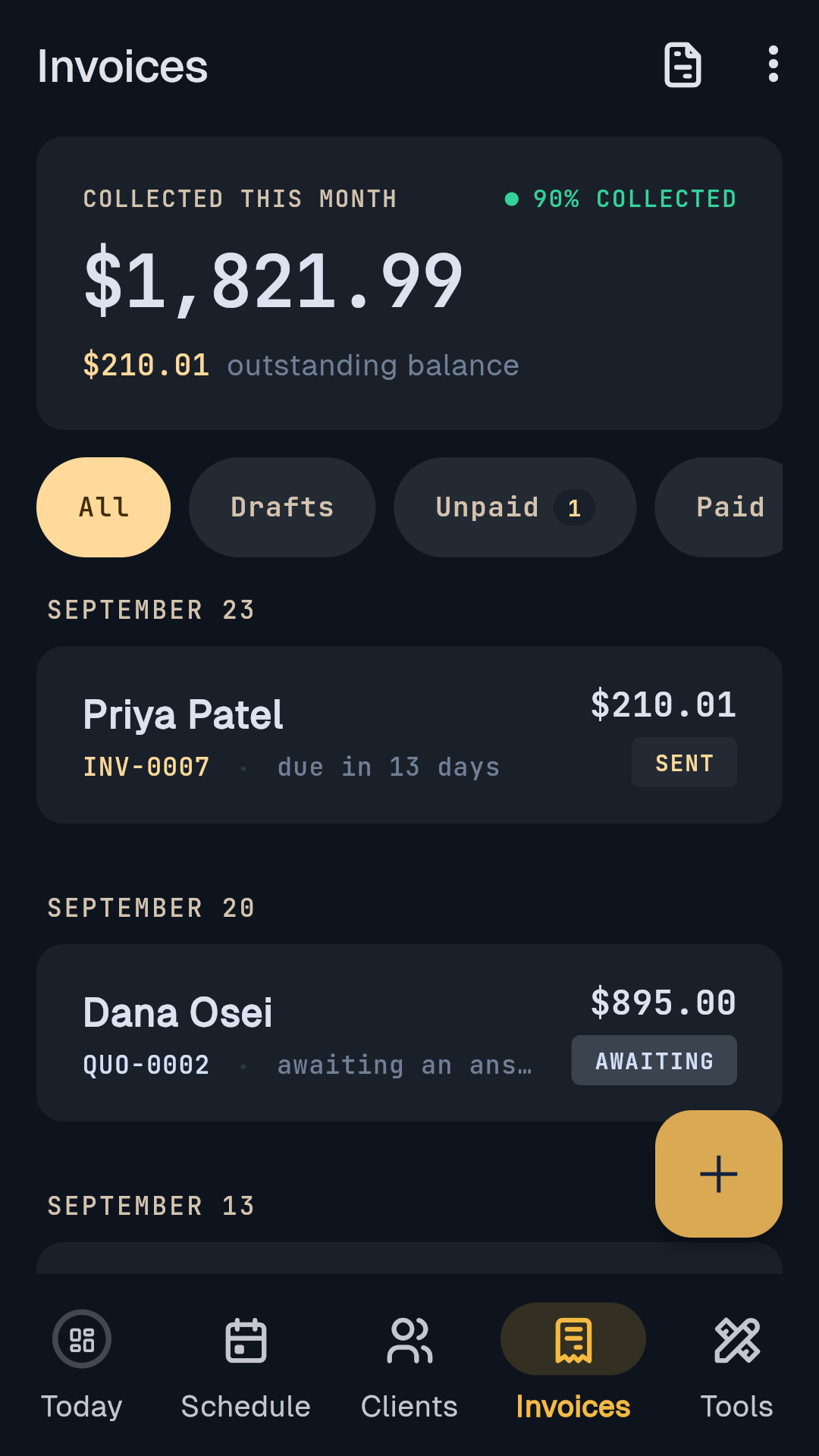
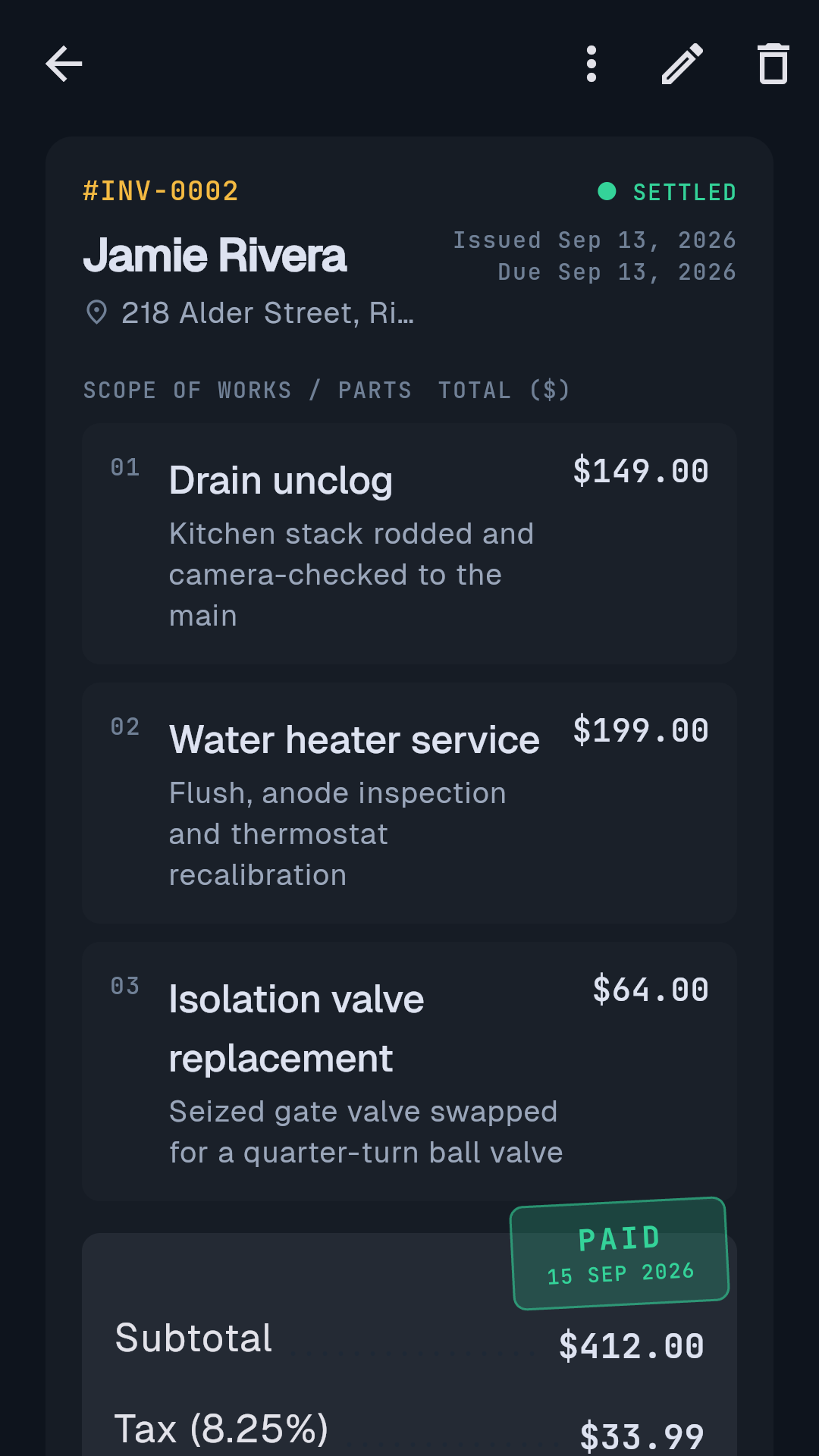
Screens from the Android app on demo data. Names and figures are made up for the demo.
Texts
Text messages
Nobody is texted unless they asked to be. Everything automatic goes by email.
They ask for it
- An unticked box on your booking page
- No tick, no text
- We never buy phone numbers
You send it
- Confirmation when you accept the job
- Reminder about a day before
- "On my way", one tap from your phone
About the job they booked. Never marketing.
They can stop it
- Reply STOP and all texts end
- Reply HELP for help
- Message and data rates may apply
The exact wording on the booking page
By checking this box you agree to receive appointment-related text messages (confirmations, reminders, and updates) from [business name] via PocketBoss. Consent is not a condition of booking. Message & data rates may apply; message frequency varies. Reply STOP to opt out, HELP for help.
Texts from PocketBoss's own number are limited to the founder's account today. Every other business sends from its own phone, one tap, in its own words.
Is there a free plan?
Yes — Free is the whole business: booking page and calendar, unlimited invoices and quotes, card payments, PDFs and invoice email, clients, expenses, time on the job, and a mileage log you fill in by hand. No card, no time limit; Boss is $14.99 a month for the extras listed under "What it costs".
Does it take a cut of my payments?
No — a card payment is a direct charge to your own Stripe account, so the money never passes through ours and we cannot hold or freeze it. PocketBoss adds no fee and earns only from the $14.99 subscription; Stripe bills its own card fee straight to you.
Can my helper log in?
Free is one login, the owner; Boss is up to 5 logins. Mint an invite code in Crew & logins and your helper joins as staff — they work the schedule, clients and invoices and get the Boss features, but cannot change money settings, edit the business profile or delete records.
Does it track mileage automatically?
Yes, on Android with Boss, opt-in and off by default: the phone records drives during your working hours, your jobs label them, and you mark each one business or personal at the end of the day. It records miles only — no rate, no dollar value — and a phone's sensors can miss a trip, so check every drive; on Free you log trips by hand.
Does it do my taxes?
No — PocketBoss keeps records (income from paid invoices, expenses by category, miles) and the Tax center on Boss sums your own entries for the year to copy or download for your accountant. It calculates nothing, applies no tax rate, and gives no tax, legal or accounting advice.
Does it work on iPhone?
Not yet — PocketBoss runs on Android and in any web browser today, including an iPhone's browser at https://pocketboss-17392.web.app. A native iPhone app is planned, and there is no date to promise.
Can customers book online?
Yes, on Free. Every business gets a public booking page: the customer picks a service and a time inside your working hours and the request lands in the app for you to confirm or decline — or turn online booking off and the page shows your number instead.
Can I send invoices by email?
Yes. Tap Send and the invoice goes from "Your Business via PocketBoss", replies going to your own business email, carrying a pay link; you can also download a PDF or copy it as plain text. Quotes send the same way — letting a customer approve one with a typed signature is a Boss feature.
Does it send reminders and texts?
Reminders go by email: an appointment reminder about a day before the job, a chase when an invoice is overdue, a follow-up on a quote gone quiet. Texts from PocketBoss's own number are limited to the founder's account today, so every other business texts from its own phone, one tap, in its own words — and only a customer who ticked "It's OK to text me" is ever texted.
Can I take a deposit?
Yes, on Boss. Request a deposit on a job and PocketBoss makes a Stripe payment link, prefilled from the service's suggested deposit; when it is paid, the job shows the deposit as received.
Can I quote first and invoice later?
Yes, on Free. A quote uses the same line items, tax and discount as an invoice, numbers itself separately, and converts in one tap when the job is won; quotes that go quiet show up on your Today screen.
What happens to my data if I cancel?
Cancel Boss and you keep it to the end of the month you paid for, then drop to Free with your records where they are. Export a JSON backup or CSV any time; delete your account and your sign-in goes at once, your business records and our backups within 30 days.
Where is my data stored?
On Google Firebase, with Stripe for payments, SendGrid for email, Twilio for any text from the app's number and Anthropic for the Boss AI features; card numbers never touch PocketBoss. Your data is backed up every night to a file you can download from Backups & data, and the full list is in the privacy policy.
Does it track time on the job?
Yes, on Free. Clock in and out on a job or add hours by hand; set your hourly rate and the job shows what that time was worth.
Download
Where to get it
The same business, on a phone and on a desk.
Not yet
Android and the web today; an iPhone version is planned, with no date promised. An iPhone's browser opens the web app.
Support
Support and legal
Legal: privacy policy · terms of service · how to delete your account.
support@thepocketappcompany.com